We’ve all been there. You’re in a high-traffic Slack channel, and a message pops up: “Hey, Dave needs 30 minutes ASAP for a sync. Can you make it happen?” As an Executive Assistant, your brain immediately starts running a diagnostic script: What’s the goal? Who else needs to be there? Did they actually invite their own Director? What time zones are we balancing? Usually, you have to spend the next 20 minutes chasing those answers in Phone Tool or via back-and-forth pings before you even touch the calendar.
I’ve always wanted to automate this “messy middle,” but for a long time, I thought the door was locked to me because I wasn’t a “coder.”
The “100 Days of Code” Wall
Three years ago, I decided to take matters into my own hands. I signed up for Replit’s 100 Days of Code. It was marketed as “easy for the inexperienced” and only required 15 minutes a day.
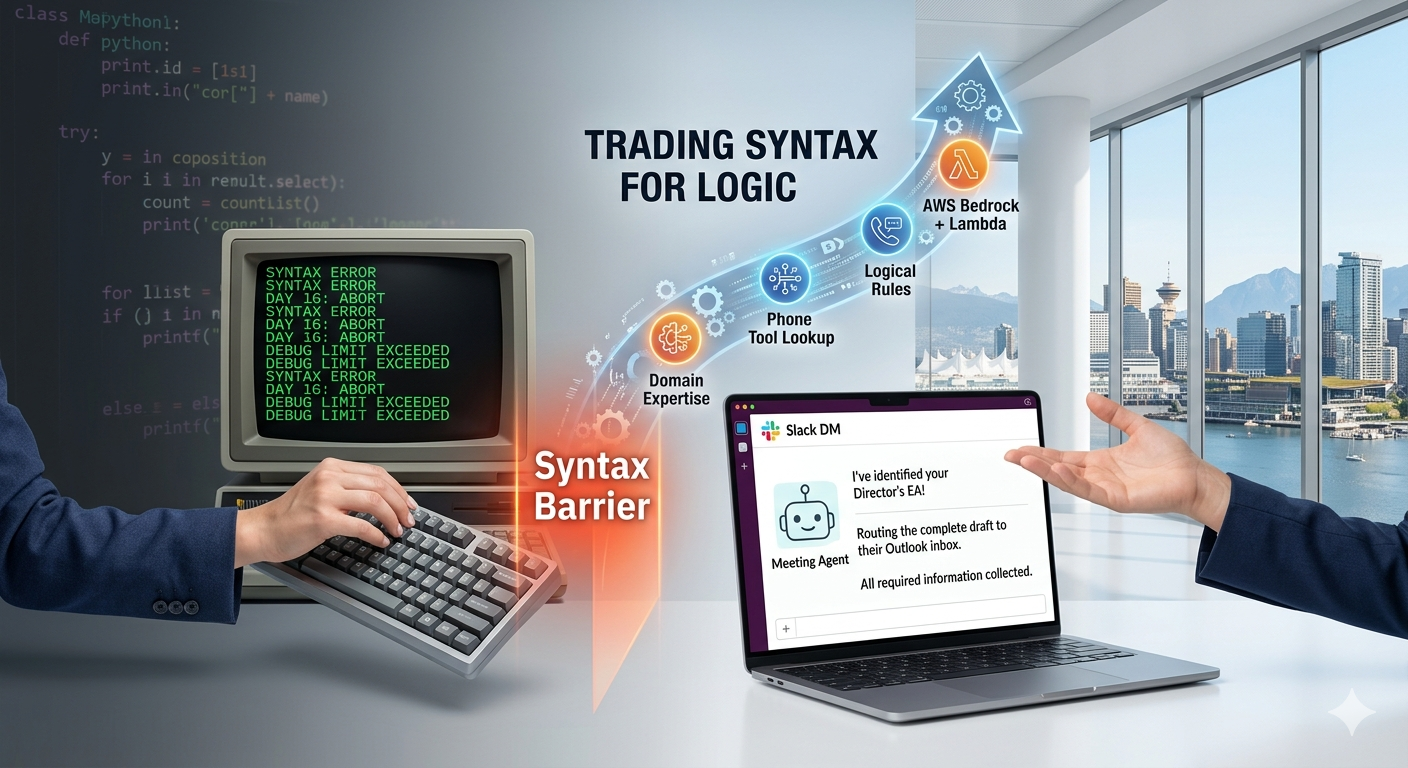
For the first week, I was flying. I felt like I was finally learning the secret language of the tech world. But then came Day 16. The “15-minute” challenge turned into a two-hour battle with brackets, indentation, and cryptic error messages. My code wouldn’t run, and I couldn’t figure out why. I realized then that while I loved solving problems, I didn’t want to spend my life fighting with syntax. I put the keyboard down and went back to my manual workflows.
The Breakthrough: Trading Syntax for Logic
Fast forward to this year. At home, I used Gemini to help me rebuild EA Mentor when I moved it to a self-hosted WordPress site. Gemini helps me rewrite blog posts and generates summaries for my subscriber newsletters. At work, I started using Amazon Quick, an internal AI-assisted development tool. Just small tasks: draft this email, summarize this document, give me a step-by-step on this tech thing I don’t know how to do.
At the same time, meeting requests were becoming sloppy: missing information, multiple attendee updates, requests going to the wrong EA. The EAs in my group want meeting requests sent via email but our teams work in Slack.
I wondered if I could create an automated tool in Slack and if Quick could help me create it. But I was skeptical because I ‘failed’ learning Python.
The process wasn’t coding—it was coaching. I engaged in a series of iterative conversations with the tool. I realized that my years of EA experience wasn’t just admin work; it was logic. I knew the if-then statements of an executive’s life better than any software engineer.
Building the EA-Protection Layer
Using Amazon Quick, I built an Executive Meeting Coordinator Agent that lives in Slack. Instead of a messy, five-minute typing session, the agent walks the requester through a structured interview. But I didn’t just build a form; I built logic that protects the EA’s time:
- The Director & EA Lookup: The agent automatically pings Phone Tool to identify the requester’s Director and their assigned EA. No more “Who do I send this to?”—the agent already knows the correct routing.
- The “Optional” Guardrail: We’ve all seen it—a requester asks for a meeting with a Director but marks that Director as Optional or leaves them off the invite entirely. My agent catches this instantly and prompts the user to correct it.
- The Multi-Director Tiering: The agent asks the user to categorize the meeting. Is it a 1:1? Or a high-stakes sync with multiple Just Walk Out Directors? This gives the receiving EA instant context on the weight of the meeting.
- The Global Buffer: To save me from the timezone math headache, the agent makes Time Zones to Consider a mandatory field.
The best part? Quick wrote all the Python code, managed the Lambda configuration, and handled the Slack integration. I provided the Business Logic, and the AI provided the Technical Execution.
The Results: The “Just Walk Out” Pilot
The end-user experience is a seamless bridge:
- The Requester has a private, guided conversation with the bot in a Slack DM to gather the name, length, timeframe, and attendees.
- The EA receives a perfectly formatted, Ready-to-Schedule email in their inbox—no Slack noise, no missing info, no guesswork.
On April 1st, we are launching a two-week pilot with our 5-person EA team. We’ll be stress-testing these rules before rolling the agent out to senior managers and eventually the entire Just Walk Out team.
My Advice to Fellow EAs
If you’ve ever hit a Day 16 in your life—whether it was a coding class or a complex project that felt out of reach—don’t let it stop you. The barrier to entry has moved. We are moving into an era where our domain expertise is the most valuable code there is.
You don’t need to learn to speak Computer. You just need to learn how to teach an AI to speak EA.
Now, I want to hear from you.
Have you ever hit your own ‘Day 16’ wall with a technical project? Or do you have a Manual Task that’s crying out for an AI Architect?
Drop a comment below or reply to this post—let’s brainstorm how we can turn your EA logic into your next big build.
Technical Sidebar: The Engine Behind the Agent
For the curious (or those who also got stuck on Day 16!), here is the plain-English breakdown of the AWS technologies used:
- Amazon Bedrock (The Chef): This is the Artificial Intelligence. It’s the part of the brain that understands a requester’s messy Slack message and translates it into a professional email.
- AWS Lambda (The Line Cook): This is “serverless” code. It only “wakes up” when someone pings the bot, performs the task (like looking up an EA in Phone Tool), and then turns itself off to save costs.
- Amazon Quick (The Sous Chef): The internal tool that acted as my translator. It took my high-level instructions and wrote the actual Python code needed for the pilot.
- Amazon SES (The Expeditor): The Simple Email Service that ensures the final request is delivered reliably to the EA’s Outlook inbox.
Leave a Reply
You must be logged in to post a comment.