Articles

  • The Strategic EA: Navigating the Pros and Cons of an Internal Transfer

    The Strategic EA: Navigating the Pros and Cons of an Internal Transfer

    If things have been a bit quiet around here since June, it’s for a very good reason: I was in the middle of a job transition! Moving between roles in a fast-paced environment reminded me of the unique dynamics, hidden opportunities, and subtle risks involved in an internal transfer.

    For Executive Assistants, transferring to a new division or executive within the same organization is often viewed as a “safe” move compared to changing companies entirely. However, shifting your seat at the table brings distinct advantages and trade-offs worth evaluating.

    The Pros: Sharpening Your Edge and Expanding Reach

    • Broadening Business Acumen: Moving to a new department forces you to learn a completely different aspect of the company’s core business, turning you into a far more versatile and strategic partner.
    • Expanding Your Internal Network: An EA’s influence relies on relationships. An internal shift instantly multiplies your cross-functional reach and visibility across leadership teams.
    • Refreshing Tactical Skills: For seasoned EAs, long tenure in a comfortable role can occasionally lead to autopilot mode. Stepping into a new team forces you to brush up on core tactical mechanics, workflows, and tools, breaking you out of “getting by” territory.
    • Breaking Free from Over-Dependency: Highly loyal EAs sometimes attach their entire career trajectory to a single executive. While strong alignment is valuable, it carries risk if that leader departs or transfers unexpectedly. An internal move allows you to build an independent, resilient reputation within the company.

    The Cons: Heavy Lift and Perception Risks

    • High Initial Cognitive Load: While you may already know where the coffee machine is, learning new executive preferences, team dynamics, acronyms, and business priorities takes a significant mental toll during the first 90 days.
    • The “Job-Hopper” Perception: If internal moves happen too frequently, it can raise subtle flags—causing others to wonder if the moves stem from performance issues or an inability to navigate a tough team culture.
    • Re-establishing Trust: You leave behind the deep, implicit trust built with your previous executive and start from square one to prove your reliability and strategic rhythm to a new leader.

    The Takeaway

    An internal transfer isn’t just a lateral shift; it’s a powerful tool for career longevity. When done intentionally, it allows you to diversify your business knowledge, stretch your operational muscles, and build a career anchored in your own value—not just your alignment with a single leader.

    Have you ever made an internal transfer as an EA? What was the biggest surprise for you during the transition? Drop a comment and share your experience.

  • The Architecture of Accountability

    The Architecture of Accountability

    Why Volunteering is a Binding Contract

    If you raise your hand for a project or request professional development from a senior peer, you are initializing an operational contract. When you no-show or abandon the deliverable, you aren’t just breaking a date—you are demonstrating that you cannot handle the complexity of higher-level responsibility.

    The Hook: Hand-Raisers vs. Hand-Deliverers

    In the early stages of an administrative career, project work is almost always transactional. An Emerging Executor is typically assigned projects—handed a pre-defined scope of work and told to execute. It is a necessary phase for building foundational execution skills.

    But as you evolve into a strategically-minded Temporal Engineer, the source of your projects must shift. You stop waiting for a hand-down; instead, you begin to independently audit the administrative infrastructure, identify systemic process gaps, and ideate your own solutions. Strategic EAs do not just manage projects—they create them out of a need to eliminate operational chaos.

    To be clear: no matter where you operate on this spectrum, a baseline of assigned projects will always exist out of sheer operational necessity. Whether it is navigating the strict compliance of an international visa application for your executive or coordinating a sudden office reallocation, certain tasks simply must be executed to keep the engine running. The distinction lies in what you do beyond the baseline. Are you merely executing someone else’s roadmap for your entire day, or are you actively designing your own? Moving from a purely reactive executor to a proactive temporal architect is the definitive threshold of career development.

    Before you step into any project, whether assigned or self-identified, you must audit the structural integrity of your choice. Why, exactly, are you volunteering to build this specific system? If it is out of a reactive habit to look busy, you are simply inviting entropy into your calendar.

    True workflow alchemy requires you to treat time as capital. Before initiation, look at your self-generated concept and ask: What KPI will you track, and how exactly is success measured? If you cannot quantify the ROI of your design, you cannot defend the space it occupies to leadership.

    The Breakdown: The True Cost of a No-Show

    To an Emerging Executor, a canceled meeting, a ghosted sync, or a stalled milestone feels like a minor calendar blip—perhaps even a welcome pocket of free time. But to a Temporal Engineer, a no-show is a critical structural failure. It represents a sudden, unhedged leak of organizational capital, momentum, and focus.

    When a stakeholder or peer fails to show up for an engineered timeline, the damage ripples far past the lost block on the grid. Consider a scenario that plays out in corporate offices every single day: A peer requests a full hour of your time for training on a complex operational process—like navigating an international visa application. You agree, blocking the time and spending 30 minutes beforehand digging through your files, pulling legacy links, and compiling tips to ensure a high-value session. Then, five minutes before the meeting, they cancel. The reason? They decided to pivot to other priorities, noting they managed to find the information on their own anyway.

    This leaves a glaring operational question: Why did they request your time in the first place?

    When people treat your calendar as a safety net for their own uncompleted research, they are outsourcing their labor at the expense of your efficiency. Before you simply click “Reschedule” and sweep this behavior under the rug, you must audit the true cost of the friction. Ask yourself: What is the literal total value of the human capital burned in this transaction? You didn’t just lose the hour of the meeting itself; you lost the deep-work prep time beforehand, and the mental switching costs required to refocus your brain afterward.

    Beyond the balance sheet lies the psychological cost: the erosion of professional respect. Every time an initiative suffers a last-minute ghosting, it signals that your time is a flexible buffer rather than a rigid boundary.

    Are you actively documenting these calendar leaks, or are you quietly absorbing the friction to keep the peace? If you constantly accommodate this behavior without enforcing a boundary, you aren’t being collaborative—you are subsidizing operational bankruptcy and letting others mismanage your most finite resource.

    The Architect’s Blueprint for True Ownership

    Enforcing accountability does not require corporate warfare; it requires structural integrity. When a peer or stakeholder mismanages your time, a Temporal Engineer does not complain, and they certainly do not quietly suffer. They issue a system correction.

    If a same-day cancellation is inevitable, utilizing a real-time communication channel like Slack or Teams is the logistically correct choice. The breakdown isn’t the medium; it’s the behavior. True ownership means holding others to the same rigorous standard of time management that you hold yourself to.

    When that baseline is violated, you must deliver an immediate, professional, yet unyielding feedback loop. You aren’t being difficult—you are protecting the firm’s operational velocity. The next time someone attempts to treat your calendar as a disposable resource, deploy the Three-Step Structural Correction:

    1. Acknowledge the Data: Confirm receipt of the cancellation calmly. Do not offer emotional platitudes like “No worries!” or “It’s totally fine!” It is not fine, and language like that subsidizes their bad behavior.
    2. Expose the Sunk Cost: Explicitly state the preparation and time that was allocated to support them. They need to see the invisible wake of their disruption.
    3. Establish the Future Border: Clearly define the standard for any future operational requests.

    When that peer canceled five minutes before our training session because they “figured it out on their own,” the response wasn’t a passive click of the reschedule button. The correction was direct: “I’m glad you found the data. Moving forward, please ensure you conduct that preliminary research before requesting a block on my calendar. I carved out an hour for this and spent 30 minutes pulling legacy files to prepare for you, which is now unrecoverable deep-work time. Let’s make sure we protect that runway next time.”

    It is polite. It is professional. And the underlying operational message is unmissable: Do not waste my time again.

    Audit your recent communications and ask yourself: How many times have you typed “No problem!” when a peer completely disrupted your workflow? Every time you soften a boundary to avoid a brief moment of professional discomfort, you invite further chaos into your ecosystem. True architects do not apologize for defending the structural integrity of their day.

    The Concluding Truth

    At its core, the architecture of accountability isn’t about being rigid or unyielding for the sake of it. It is about a fundamental truth that every elite Temporal Engineer eventually learns: You teach people how to treat your time.

    If you treat your calendar like a chaotic public square where anyone can drop a meeting, pivot on a whim, or outsource their basic research at the last minute, that is exactly how the organization will treat you. But when you treat your time like a finite, high-value corporate asset, you change the entire dynamic of your partnership.

    Stepping away from reflex phrases like “no worries” and stepping into firm, professional boundary-setting can feel uncomfortable at first. But true collaboration cannot exist without mutual respect for operational capacity.

    When you defend your boundaries, you aren’t slowing the team down—you are protecting the strategic velocity of the business. You are moving from a passive spectator of your day to the master architect of your impact. Lock your systems down, hold the standard high, and build an infrastructure that lasts.

    You don’t get to practice being a Strategic Partner one day when you get the right title. You practice it right now by being impeccable with your word to the peers who are trying to help you climb.


  • The Mean Admin Club

    The Mean Admin Club

    Engineering Your Defense Against Workplace Friction

    Every master architect knows that the greatest threat to a beautifully designed structure isn’t a sudden storm—it’s internal friction.

    In the administrative profession, that friction often takes a specific, toxic form: the Mean Admin Club. These individuals rely on micro-aggressions, information hoarding, and passive-aggressive maneuvering to influence their environment. Instead of building systems and each other up, their operational goal is to keep peers off balance, emotional, and reactive.

    As a Temporal Engineer and Workflow Alchemist, you cannot allow toxic group dynamics to degrade your operational efficiency or compromise your partnership with your executive. Here is how to analyze the breakdown, audit the threat, and deploy precise countermeasures.

    The Blueprint of a Toxic Operation

    In a healthy corporate infrastructure, you might encounter one or two dysfunctional actors. When they realize their tactics fail to yield results, they move on.

    However, in a toxic environment, this behavior is tolerated or even enabled by leadership. I once navigated a highly political landscape where the old guard protected their territory through intimidation, gossip, and actively pushing back against new leaders hired to improve metrics.

    In that specific ecosystem, I encountered an admin who proudly self-identified as a difficult person. Over time, their operational flaws became obvious:

    • Information Hoarding: They refused to share best practices, opting to weaponize knowledge instead of distributing it.
    • Unreliability: They routinely dumped peer work or backed out of simple agreements, such as conference room bookings, at the last minute.
    • The Silent Treatment: when they perceived a slight—such as a peer not cleaning up a retirement party organized by their own department—they deployed weeks of complete silence rather than engaging in rational communication.

    When an administrator spends more time managing grudges than managing workflows, they become a systemic liability.

    The Diagnostic: How to Spot the Saboteur

    Let’s face it: very few bullies will announce their toxic tendencies, you must listen to their words and observe their behavior. Watch for these key indicators:

    1. Knowledge Hoarding: They view information as leverage rather than an asset to optimize team performance.
    2. Authority Bludgeoning: They use their executive’s title or their own tenure to throw weight around, frequently flying off the handle over mundane operational details.
    3. The Mirror Effect: They treat people with performative kindness to their faces, only to immediately tear down their outfits, intellect, or work product the moment they walk away.

    Operational Countermeasures: Alchemical Defenses

    When dealing with a workplace bully, your goal is simple: maintain your structural integrity and let their chaos consume them. Do not lash out. Bullies despise rational adults. Instead, deploy these four strategic workflows:

    1. Eliminate Disposable Communication

    Toxic actors prefer untraceable mediums—verbal side-chats, quick instant messages, or texts—because they hate accountability. Documentation!

    The Alchemical Rule: Always follow up disposable communication with a written email summarizing the facts, timelines, and commitments. Build a paper trail they cannot rewrite.

    2. Execute Flawless Work Product

    Your output is your shield. Execute your responsibilities to the highest standard. When your systems are sound and your logistics are flawless, a bully has zero leverage to use against you.

    3. Log the Data (Outside the Network)

    When friction occurs, perform an emotional brain dump via journaling to clear your headspace—but keep that entirely in your personal space. Afterwards, extract the objective data points: dates, times, specific actions, and business impacts. Store this factual documentation securely. If you ever need to escalate the issue to leadership or HR, you will be presenting a business case, not an emotional grievance.

    4. Minimize Contact and Stand Your Ground

    You were hired to engineer a strategic partnership with your executive, not to clear the path for a peer’s lack of accountability. Keep your interactions highly professional, brief, and anchored strictly to company templates and standard operating procedures.

    The Natural Conclusion of Entropy

    When leadership eventually holds the administrative ecosystem accountable, bad actors inevitably flame out. They will take excessive leaves of absence, amplify complaints of mistreatment, and ultimately exit the organization, often on short notice.

    When the descent begins, notice who distances themselves to save their own skin—those former co-conspirators are not your allies either.

    Protect your time, guard your energy, and keep your focus on the executive(s) you support. If the environment proves completely unfixable, use your engineered skill set to build an exit strategy to a team that values true strategic partnership.

  • The Reality of the Pendulum: It’s a Continuum, Not a Destination

    The Reality of the Pendulum: It’s a Continuum, Not a Destination

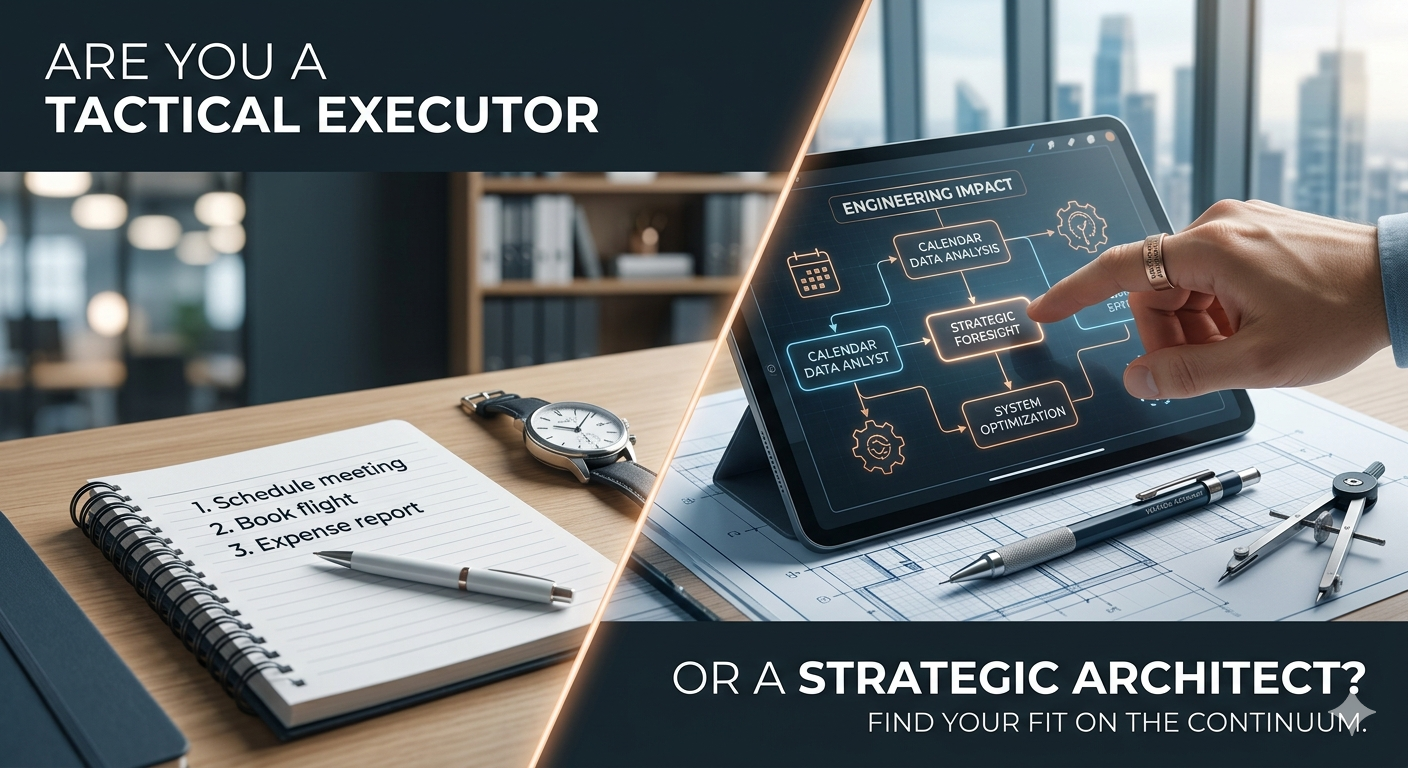
    Now, a word of EA-to-EA honesty: Strategic Partnership isn’t a permanent state of being. It’s a continuum.

    Even the most seasoned Strategic Architect has days—or months—where they have to slide back into Tactical Execution.

    • The Onboarding Phase: When your executive changes (or as I’ve experienced recently, when your second executive changes five times in a year!), you cannot be strategic on Day One. You have to focus on Structural Integrity first. You have to learn the new leader’s rhythm, their shortcuts, and their blind spots before you can start engineering their success.
    • The Capacity Check: Some days, your mental bandwidth is at zero. On those days, the most strategic thing you can do is put your head down and handle the low-key work. Clean up the calendar. Audit the travel folders. Reset the foundation.

    Strategy requires a solid base. If the base is shifting, or if your own internal battery is low, it is perfectly okay—and often necessary—to be a Tactical Executor.The goal isn’t to never do tasks; it’s to ensure that doing tasks isn’t your only mode of operation. We build the tactical foundation so that when the timing is right and the capacity is there, we have the Structural Integrity to step up as a true Co-Pilot.


    Ready to find your baseline? Complete the form below to unlock instant access to the Executive Toolkit Vault and join our inner circle. Map your operational coordinates, step out of the tactical churn, and receive our upcoming framework updates delivered straight to your control room.

  • Just Walk Out of Meeting Churn: My Journey to an AI-Powered Scheduling Pilot

    Just Walk Out of Meeting Churn: My Journey to an AI-Powered Scheduling Pilot

    We’ve all been there. You’re in a high-traffic Slack channel, and a message pops up: “Hey, Dave needs 30 minutes ASAP for a sync. Can you make it happen?” As an Executive Assistant, your brain immediately starts running a diagnostic script: What’s the goal? Who else needs to be there? Did they actually invite their own Director? What time zones are we balancing? Usually, you have to spend the next 20 minutes chasing those answers in Phone Tool or via back-and-forth pings before you even touch the calendar.

    I’ve always wanted to automate this “messy middle,” but for a long time, I thought the door was locked to me because I wasn’t a “coder.”

    The “100 Days of Code” Wall

    Three years ago, I decided to take matters into my own hands. I signed up for Replit’s 100 Days of Code. It was marketed as “easy for the inexperienced” and only required 15 minutes a day.

    For the first week, I was flying. I felt like I was finally learning the secret language of the tech world. But then came Day 16. The “15-minute” challenge turned into a two-hour battle with brackets, indentation, and cryptic error messages. My code wouldn’t run, and I couldn’t figure out why. I realized then that while I loved solving problems, I didn’t want to spend my life fighting with syntax. I put the keyboard down and went back to my manual workflows.

    The Breakthrough: Trading Syntax for Logic

    Fast forward to this year. At home, I used Gemini to help me rebuild EA Mentor when I moved it to a self-hosted WordPress site. Gemini helps me rewrite blog posts and generates summaries for my subscriber newsletters. At work, I started using Amazon Quick, an internal AI-assisted development tool. Just small tasks: draft this email, summarize this document, give me a step-by-step on this tech thing I don’t know how to do.

    At the same time, meeting requests were becoming sloppy: missing information, multiple attendee updates, requests going to the wrong EA. The EAs in my group want meeting requests sent via email but our teams work in Slack.

    I wondered if I could create an automated tool in Slack and if Quick could help me create it. But I was skeptical because I ‘failed’ learning Python.

    The process wasn’t coding—it was coaching. I engaged in a series of iterative conversations with the tool. I realized that my years of EA experience wasn’t just admin work; it was logic. I knew the if-then statements of an executive’s life better than any software engineer.

    Building the EA-Protection Layer

    Using Amazon Quick, I built an Executive Meeting Coordinator Agent that lives in Slack. Instead of a messy, five-minute typing session, the agent walks the requester through a structured interview. But I didn’t just build a form; I built logic that protects the EA’s time:

    • The Director & EA Lookup: The agent automatically pings Phone Tool to identify the requester’s Director and their assigned EA. No more “Who do I send this to?”—the agent already knows the correct routing.
    • The “Optional” Guardrail: We’ve all seen it—a requester asks for a meeting with a Director but marks that Director as Optional or leaves them off the invite entirely. My agent catches this instantly and prompts the user to correct it.
    • The Multi-Director Tiering: The agent asks the user to categorize the meeting. Is it a 1:1? Or a high-stakes sync with multiple Just Walk Out Directors? This gives the receiving EA instant context on the weight of the meeting.
    • The Global Buffer: To save me from the timezone math headache, the agent makes Time Zones to Consider a mandatory field.

    The best part? Quick wrote all the Python code, managed the Lambda configuration, and handled the Slack integration. I provided the Business Logic, and the AI provided the Technical Execution.

    The Results: The “Just Walk Out” Pilot

    The end-user experience is a seamless bridge:

    • The Requester has a private, guided conversation with the bot in a Slack DM to gather the name, length, timeframe, and attendees.
    • The EA receives a perfectly formatted, Ready-to-Schedule email in their inbox—no Slack noise, no missing info, no guesswork.

    On April 1st, we are launching a two-week pilot with our 5-person EA team. We’ll be stress-testing these rules before rolling the agent out to senior managers and eventually the entire Just Walk Out team.

    My Advice to Fellow EAs

    If you’ve ever hit a Day 16 in your life—whether it was a coding class or a complex project that felt out of reach—don’t let it stop you. The barrier to entry has moved. We are moving into an era where our domain expertise is the most valuable code there is.

    You don’t need to learn to speak Computer. You just need to learn how to teach an AI to speak EA.


    Now, I want to hear from you.

    Have you ever hit your own ‘Day 16’ wall with a technical project? Or do you have a Manual Task that’s crying out for an AI Architect?

    Drop a comment below or reply to this post—let’s brainstorm how we can turn your EA logic into your next big build.


    Technical Sidebar: The Engine Behind the Agent

    For the curious (or those who also got stuck on Day 16!), here is the plain-English breakdown of the AWS technologies used:

    • Amazon Bedrock (The Chef): This is the Artificial Intelligence. It’s the part of the brain that understands a requester’s messy Slack message and translates it into a professional email.
    • AWS Lambda (The Line Cook): This is “serverless” code. It only “wakes up” when someone pings the bot, performs the task (like looking up an EA in Phone Tool), and then turns itself off to save costs.
    • Amazon Quick (The Sous Chef): The internal tool that acted as my translator. It took my high-level instructions and wrote the actual Python code needed for the pilot.
    • Amazon SES (The Expeditor): The Simple Email Service that ensures the final request is delivered reliably to the EA’s Outlook inbox.
  • The Annual Cleanse: Why the Calendar Audit is an EA’s Secret Weapon

    The Annual Cleanse: Why the Calendar Audit is an EA’s Secret Weapon

    One of the most valuable contributions an EA can make is returning the gift of time to their leader. While managing a calendar often feels like a game of Tetris—simply fitting blocks where they fit—the truly strategic EA acts as a curator. This is where the Calendar Audit becomes essential.

    For an executive who owns and hosts numerous recurring meetings, attendee lists can quickly become bloated. People change roles, projects pivot, and suddenly, a lean decision-making session has transformed into a forty-person meeting. Here is how to conduct a professional audit to ensure your executive is surrounded only by the people they actually need.

    1. Establish the Accuracy Metric

    Before you touch a single invite, you must understand the why behind the meeting. Use your weekly sync to categorize your executive’s meetings into three buckets:

    • Decision-Making: Small, agile groups required to greenlight projects.
    • Information Sharing: Larger groups designed for alignment and updates.
    • Brainstorming: Creative sessions where diverse perspectives are the priority.

    Accuracy isn’t just about who is in the room; it’s about ensuring the attendees align with the meeting’s specific purpose.

    2. The Step-by-Step Audit Process

    Once you have the context, follow this systematic approach:

    • Review the Legacy List: Look at recurring meetings that have been on the books for more than 90 days. Cross-reference the attendee list with the company directory. You will likely find people who have left the department or the company entirely.
    • Analyze Attendance Patterns: Use your Contextual Intelligence during meetings. If you notice an individual has accepted but hasn’t attended or contributed in a month, they are a prime candidate for the optional list.
    • Identify the Bottlenecks: Is the meeting frequently delayed because one specific person is always late? Is it stalled because a key decision-maker is missing? Adjusting the attendee list is often the solution to these operational friction points.

    3. Executing the Soft Move

    Removing someone from a meeting invitation can be politically sensitive. As the EA, you are the enforcer of efficiency, but you must do so with diplomacy. Instead of a cold deletion, use a soft move strategy:

    • Move to Optional: Shift non-essential stakeholders to the optional category so they stay informed but aren’t required to attend.
    • The Follow-up Summary: Propose that instead of attending, certain individuals receive the meeting minutes or the Action Item summary you create. This keeps them in the loop without costing them an hour of their day.

    4. Presenting Your Findings

    Don’t make these changes in a vacuum. Present your audit to your executive during your weekly sync using data to present your observations, analysis, and recommended actions.

    Observation: “I noticed the Tuesday Sync has grown to 15 people, but only four are active contributors.”

    Analysis: “This is likely diluting the focus and making it harder for you to reach a consensus.”

    Action: “I’ve drafted a revised invite list that moves six people to ‘Optional/FYI’ and replaces the invite with a summary email. Would you like me to push this update today?”

    By auditing the calendar, you aren’t just managing a schedule; you are optimizing the organization’s most expensive resource: leadership time. When you ensure the right people are in the room, you make your executive unstoppable.

    5. Install a Governance Mechanism: The Meeting Request Template

    As a Temporal Engineer, you aren’t just a gatekeeper; you are a guardian of organizational energy. To prevent calendar creep, a repeatable mechanism forces intentionality before meetings are updated. I recommend implementing a Meeting Request Template.

    This is a one-page blueprint every requester must complete, outlining the essential architecture of the sync: the precise length, the type (is this a Status check, a Decision-making session, or purely Informational?), and a hard-line attendee list that distinguishes the Mission Critical required attendees vs the optional observers.

    Pro Tip from the Trenches: no matter how long you’ve been working with your executive, review the meeting request and attendees, then copy and paste the completed template directly into the calendar invite body.

    Pro Tip from the Trenches: Include a “Meeting Update” section in the body of the invite. I like it at the top of the invite. This acts as your temporal log—a running list of every shift in date or time, the reason for the change, and the initials of the EA who made the change. It creates an audit trail that proves your value and keeps a history of the changes for everyone involved.


    Take back command of the calendar. Complete the form below to grab the exact Meeting Request Template & Calendar Audit Framework inside the Toolkit Vault. Protect your executive’s capacity and design a proactive gatekeeping workflow.

  • New year, fresh start

    New year, fresh start

    Hello admin pros! Grab a cuppa and check out my 2026 Strategy & The Workflow Audit.

    The Messy Truth

    2025 was a whirlwind year. In total, I provided support to nine Directors and one VP, due to a team change in April. Two EAs were on mat leave for half the year. The lead EA left Amazon 2 months after I arrived. I was voluntold to be the VP’s interim EA, which lasted 5 months. In September, I transferred my VP to the new Lead EA. In November, I onboarded a new Director. In December, the EA team was restructured. At this writing, I’m supporting two Directors in very different business units.

    Additionally, Amazon announced it was deprecating Chime and Quip in favor of Office 365, SharePoint, and Zoom. There was a series of rolling corporate office team restacks from April to October, across the US and Canada.

    I use rules and various folders in Outlook to manage email. In the process of managing incoming meeting requests and emails, my system became a bloated mess. I spent far too much time searching shared drives for documents.

    The New Year Reset

    My goal was to clean up my inbox and rules during the week between Christmas and New Year’s, but a shocking number of people were working that week, all wanting new meeting series. I was able to convert my executive’s standing meetings from Chime to Zoom, but that was as far as I got.

    I created a new workflow to manage calendars for 2026 to audit existing meetings and streamline my mechanisms, and determine the value of where my leaders and I spend our time.

    Personal & Business Goals for 2026

    • Personal goal: learn French at the B2 level. This will improve my Permanent Resident application score. I’m currently around A1.
    • Work goal: Reclaim 4 hours of deep work per week. I’ve got several ideas that will greatly improve my executives’ lives.
    • EA Mentor goal: increase my subscribers by providing new EA tools and content.

    The original mission of the EA Mentor was to build my coaching business. However, since I’m unable to generate income beyond my Amazon job, I’ve re-evaluated my goals for the site. I will continue to provide a manual for making that EA work visible and strategic, sharing data-driven mechanisms and contextual intelligence case studies. Subscribers will have exclusive access to checklists and tools useful to working EAs.

    The Workflow Audit

    In 2025, my time was spent on tactical calendar management and documenting org communication. My Lead EA will ultimately determine org mechanisms. The org suffers from silos that extend from leadership to the EA team.

    In December, I handed over the Director I onboarded with another Director. I worked hard last month to earn trust with my new team, but I have a lot to learn about the business. The new Director wants a partner, so I’ll focus more on strategic work and less time on the energy-draining churn.

    Not my actual desk since I work in a paperless office; it’s how I felt at the beginning of the year.

    As for Tools, my goal is to reduce the number of apps I use to manage work and essential documents. I don’t pay for apps at work. Instead, I use what the company provides. I’ll be offloading Asana, which my current org doesn’t use. Slack is heavily used for scheduling. I find this difficult to manage and prefer email. I’m going to investigate Slack workflows and see if I can create or modify a scheduling workflow.

    What I will stop in 2026: documenting interactions with my coworkers. My Lead EA asked me to provide documentation in Q4. There is more than enough material for her to run with.

    Now it’s your turn: What is the one task you are officially firing this quarter?

    Establish your strategic baseline. Complete the form below to gain immediate access to the 2026 Audit Checklist inside the Toolkit Vault. Audit the infrastructure, clear the operational drag, and start the cycle ahead of the game.

  • Engineering Your First 90 Days

    Engineering Your First 90 Days

    Starting a new role as an Executive Assistant (my cheeky term is Temporal Engineer) is both exciting and high-stakes. The first 90 days are your onboarding period—the time to learn your processes, earn trust, and align with your executive’s workflow.

    Here is how to engineer a successful launch.

    Phase 1: Diagnostic & Discovery (Days 1–30)

    Your first month is about gathering data and understanding the existing architecture.

    • The Playbook Search: Identify where key documents, contacts, and historical records are kept. If a Handover Playbook doesn’t exist, start building one immediately.
    • Stakeholder Mapping: Identify the key players, proxies, and influencers within the organization. Who does your executive rely on most?
    • Calibration Syncs: Meet with your leader frequently. Ask: “How do you prefer to receive information? What are your ‘non-negotiables’ for the calendar?”

    Phase 2: System Installation (Days 31–60)

    Now that you have the data, begin implementing your strategic mechanisms.

    • Master the Calendar: Transition from simply observing the schedule to proactively defending it. Start resolving conflicts before they reach the executive.
    • Refine the Pipeline: Standardize how meeting minutes are taken and how action items are tracked.
    • The Pulse Check: Begin observing the team culture. Start reporting back factual observations to your leader to help them lead more effectively.

    Phase 3: Optimization & Branding (Days 61–90)

    By day 90, you should move from learning the system to optimizing the workflow.

    • Identify Gaps: Look for inefficiencies in the current workflow and propose updates. (e.g., “I noticed our travel booking process is manual; I’ve designed a template to streamline this.”)
    • Establish Your Brand: What do you want to be known for? Whether it’s data analysis, project management, or event orchestration, start teaching the team to fish in your area of expertise.

    The Outcome

    The first 90 days aren’t just about surviving; they are about establishing yourself as a vital component of the leadership team. By the end of this period, your onboarding is complete, and you are ready to dive deeply into your new team.

    Master the logic. Rule the clock.

  • Engineering Your Outcomes with SMART Goals

    Engineering Your Outcomes with SMART Goals

    If a goal has no deadline, it’s just a wish—and in the executive suite, wishes don’t move the needle.

    As EAs, we are often the ones responsible for turning an executive’s vision into a reality. But if those goals aren’t structured correctly, you’ll find yourself lacking the motivation or the resources to actually cross the finish line. To transform your career from a calendar jockey to a Strategic Partner, you must master the art of data-driven goal setting.

    The Mechanism: The SMART Framework

    I use the SMART system to strip the ambiguity out of my objectives. This isn’t just a corporate acronym; it’s a filter for your time and energy:

    • Specific: Define the exact outcome. No “fluff”.
    • Measurable: Determine your data points. How will you prove success?
    • Achievable: Be honest about your variables. Is this actually possible with your current resources?
    • Relevant: Does this goal serve your executive’s needs or your career trajectory?
    • Time-specific: Set your Hard Stop and work backward to establish milestone dates.

    The Alchemist’s Edge: Interview Strategy

    Beyond daily project management, the SMART format is a secret weapon for career management.

    When you’re preparing for a new role or a promotion, take your past achievements and run them through this framework. It helps you develop compelling, cohesive stories that prove your value during an interview. You aren’t just saying you organized an event—you are showing how you engineered a specific, time-bound outcome.

    Install the Strategy

    This concludes our look at the Top 3 Tools for EAs. Whether you are using the Priority Matrix to survive a Bad Brain Day or SMART Goals to architect your next promotion, these systems are designed to help you work with precision.


    Equip your strategic control room. Complete the form below to instantly unlock the Strategy Trio Bundle (SMART Goals, SWOT Analysis, and Priority Matrix) inside the Toolkit Vault. Three high-leverage frameworks, delivered in a single master asset.

  • Engineering Your Strategy with SWOT

    Engineering Your Strategy with SWOT

    In the executive world, a SWOT analysis is a standard mechanism used to make informed choices for product launches or market entries. For a Temporal Engineer, this tool is a high-level diagnostic for both your career architecture and your Executive’s business landscape.

    To move from a reactive state to a proactive partnership, you must be able to audit the variables around you.

    The Mechanism: The SWOT Framework

    SWOT allows you to categorize any professional situation into four distinct quadrants:

    • Strengths and Weaknesses: These are your internal data points. When auditing your own desk, these are the skills you excel at and the gaps in your technical stack. When auditing a project, these are the resources your team possesses versus the bottlenecks holding you back.
    • Opportunities: These are external factors you can capitalize on, such as a new software rollout that could automate your Executive’s reporting or a networking event that could connect your team with a key vendor.
    • Threats: These are external barriers that could impede progress, such as an upcoming budget cut, a shift in company leadership, or a sudden change in market stability.

    The Alchemist’s Audit: Beyond the Career Pivot

    While many use SWOT for a career pivot—analyzing the risks of moving from a tech giant to a non-profit—active EAs use it daily to stay three steps ahead of the business.

    1. Project Post-Mortems

    After a major board meeting or an offsite, use SWOT to analyze what happened. What were the internal strengths that made it successful? What external threats (like a travel delay or a tech failure) almost derailed it? This data ensures the next event is even more resilient.

    2. Stakeholder Mapping

    If your Executive is entering a difficult negotiation or a cross-functional project, run a SWOT on the opposition or the other departments involved. Understanding their potential weaknesses or the external threats they are facing allows you to help your Executive prepare a more effective strategy.

    3. The Annual Performance Review

    Instead of just listing your tasks from the year, present a SWOT analysis of your role. Show your Executive that you understand the opportunities for growth in the department and that you have identified the threats to their time. This moves the conversation from “what you did” to “how you think.”

    Install the Full Strategy

    This series has explored the foundational tools every strategic partner needs to master:

    1. The Priority Matrix: To filter the noise of daily emergencies and focus on what truly moves the needle.
    2. SMART Goals: To architect specific, measurable outcomes with clear deadlines.
    3. SWOT Analysis: To make informed, high-stakes decisions for your projects and your career.

    Equip your strategic control room. Complete the form below to instantly unlock the Strategy Trio Bundle (SMART Goals, SWOT Analysis, and Priority Matrix) inside the Toolkit Vault. Three high-leverage frameworks, delivered in a single master asset.

  • The Financial Aid Office Lesson

    The Financial Aid Office Lesson

    Back in college, I saw a sign behind a financial aid desk that changed my perspective on work forever. It read:

    “Your lack of planning does not constitute an emergency on my part.”

    At the time, it felt harsh. But after years in the executive suite, I realized that sign wasn’t about being rude—it was about boundaries and data.

    Every day, you are bombarded by stakeholders, vendors, and direct reports who all believe their request is the most important thing on your executive’s calendar. If you don’t have a system to filter that noise, you’ll spend 12 hours a day reacting to “emergencies” that aren’t actually important.

    To move from a calendar jockey to a Strategic Partner, you need to stop guessing and start analyzing.

    The Mechanism: The Priority Matrix

    I use the Priority Matrix to strip the emotion away from the to-do list. It’s a simple four-quadrant system that forces you to categorize tasks by Urgency and Importance.

    • High Urgency / High Importance: This is the “Engine Room.” Start here.
    • Low Urgency / Low Importance: These are “Someday Projects.” Be honest—if it stays here long enough, it’s probably not worth your time.

    I find this tool particularly valuable on Bad Brain Days—those days when you’re fighting a migraine or a lack of sleep and just need a clear map to follow. It takes the cognitive load off your shoulders and puts it onto the paper.

    Master the Strategy

    The Priority Matrix is just the first step in engineering a high-performance office. In my upcoming posts, I’ll be breaking down SMART Goals for long-term planning and SWOT Analysis for strategic decision-making.


    Equip your strategic control room. Complete the form below to instantly unlock the Strategy Trio Bundle (SMART Goals, SWOT Analysis, and Priority Matrix) inside the Toolkit Vault. Three high-leverage frameworks, delivered in a single master asset.

  • Engineering the Narrative: The Temporal Engineer’s Guide to Strategic Note-Taking

    Engineering the Narrative: The Temporal Engineer’s Guide to Strategic Note-Taking

    Today’s mechanism focuses on a skill often dismissed as clerical, but in the hands of a Temporal Engineer, it is a high-level diagnostic tool: Note-Taking.

    While this isn’t specifically about formal meeting minutes, the practice of master-level note-taking is the foundation upon which accurate minutes are built. If you are looking for strategies on handling complex or technical meeting records, you can revisit my deep dive on that system here.

    The Memory Myth

    Early in my career—while navigating the technical complexities of Environmental Health & Safety at Fred Hutch—I realized that “learning on the job” was impossible without a rigorous documentation strategy. I had to learn biohazard and chemical safety protocols in real-time while drafting newsletters and safety manuals.

    Data shows that only 0-10% of the population possesses an eidetic or photographic memory. Statistically, you are not in that bracket.

    As Executive Assistants, we deal with a high volume of task switching and the dreaded Drive-By—those unscheduled disruptions that sever your workflow threads. Relying on memory in this environment isn’t just risky; it’s an operational failure. Note-taking is the anchor that allows you to pick up those threads instantly.

    The Anatomy of a Strategic Note

    I’ve observed that administrative professionals who fail to take notes often fall into a cycle of apologizing, repeating questions, and missing deadlines. This doesn’t just hurt productivity; it fuels Imposter Syndrome.

    To engineer a better outcome, I treat my personal notes like minutes for myself. A strategic note should:

    • Summarize Instructions: Don’t record verbatim; capture the intent.
    • Identify Critical Data: Pinpoint due dates, task owners, and stakeholders.
    • Audit Resources: Note the tools and stakeholders required to move the needle.

    The Benefits of Documentation

    • Time Conservation: Capturing details accurately the first time prevents the loop-back where both you and your executive lose time re-explaining an assignment.
    • Predictive Analysis: Over time, your notes allow you to look around corners and identify patterns that others miss.
    • Institutional Knowledge: Notes serve as a reference for rarely used processes, executive preferences, and post-event lessons learned.

    Installing Your System

    Muscle memory requires a repeatable system. Whether you prefer a physical or digital install, the key is consistency.

    Physical Systems: I began with a paper-and-pen Daily Running List, much like a Bullet Journal, transferring unfinished tasks to ensure nothing was lost.

    Digital Systems: After carpal tunnel surgery made my handwriting a creative asset but a functional liability, I moved to digital. I’ve experimented with everything from Evernote and TeuxDeux to Goodnotes.

    Currently, my primary mechanism at work is OneNote. It integrates seamlessly with the Office suite, allowing me to link meeting details directly into my minutes for a simple, all-in-one solution.

    The Experiment

    If you haven’t found your groove yet, experiment. Try one system at a time, reflect on the data of what worked, and repeat until you hit your stride. The only rule? Pick one method. If you jot a note on a Post-it, move it into your primary system immediately.

    Master the logic. Rule the clock. Stop relying on your memory and start engineering your records.

  • Three Strategic Mechanisms for EA Leadership

    Three Strategic Mechanisms for EA Leadership

    In the traditional blueprint of an office, the Executive Assistant is often viewed solely through a tactical lens—scheduling, travel coordination, and scribing. But the role has evolved significantly. Today, a Temporal Engineer recognizes that leadership isn’t a title you are given; it’s a mechanism you install.

    You don’t need to manage a team or hold a “Lead” title to be a leader. Leadership is simply taking ownership, being proactive, and engineering outcomes that contribute to the organization’s success.

    Here are three ways to shift from tactical support to strategic leadership.

    1. Install a Strategic Mindset

    We hear the term “strategic” constantly, but in this system, it means understanding the long-term vision, goals, and objectives of your organization. You must become a diagnostic sensor for the challenges and opportunities facing your company.

    • Audit Your Knowledge: Do you know your organization’s top three products or services?
    • Seek Intelligence: Ask targeted questions to understand your leader’s specific objectives.
    • Be a Trendsetter: You have more power than you realize. If you have a big headache in your workflow, engineer a process to solve it without waiting for permission. When others see the efficiency of your new mechanism, they will adopt it.

    2. Command Ownership of Projects

    To build a high-performance career, doing the minimum is an operational failure. Leadership requires providing the value your executive didn’t even know they needed until you delivered it.

    • Exceed the Blueprint: Go beyond the expected scope to complete tasks to the absolute best of your ability.
    • Proactive Improvement: Identify stagnant processes and take the lead in implementing new initiatives.
    • Collaborative Control: Demonstrate your ability to manage projects by collaborating across departments to move the needle.

    3. Commit to Continuing Education

    In technology and in business, if you aren’t upgrading, you are becoming obsolete. I have seen countless apps like WordStar and WordPerfect vanish because they ceased to be relevant. A leader never stops learning.

    • Professional Development: Invest in yourself through conferences, workshops, and specialized training.
    • External Networking: Connect with peers outside your organization to stay ahead of industry best practices.
    • Expertise Certification: Pursue advanced degrees or certifications to verify your commitment to the profession.
    • Leverage Resources: Utilize professional organizations like IAAP, industry publications like Executive Support Magazine, or work with a coach to sharpen your edge.

    The Outcome

    By developing a strategic mindset, taking full ownership, and constantly upgrading your skills, you provide the insights and recommendations that demonstrate your true leadership potential. Stop asking for permission to lead and start engineering the success of your organization.

    Master the logic. Rule the clock.

  • Strategic Minute-Taking for Complex Subjects

    Strategic Minute-Taking for Complex Subjects

    As a Temporal Engineer, one of your most critical functions is capturing the Organizational Memory of a meeting. While note-taking is a personal diagnostic tool, Minute-Taking is a core leadership skill that transforms a chaotic discussion into a strategic record of alignment and action.

    Many EAs feel overwhelmed when dropped into meetings covering technical or complex topics that seem over their head. Early in my career at Fred Hutch, I had to record minutes for safety committees covering radiation and biohazards despite having a degree in technical theater. I learned that you don’t need to be a subject matter expert to produce high-quality minutes; you need a repeatable system.

    Here is how to engineer the narrative when the topic is complex.

    1. Pre-Flight and Post-Flight Reviews

    The Chairperson is your primary resource for ensuring accuracy. They want good minutes, so demonstrate your willingness to learn the lingo.

    • The Agenda Audit: Use the agenda as your blueprint. Meet with the Chair beforehand to understand the intended outcomes.
    • The Feedback Loop: After the meeting, clean up your draft and ask the Chair for a specific review. You will likely get acronyms or technical terms wrong at first, but this review process is how you learn.

    2. Develop Your Question Code

    Meetings move at the speed of light. Unless an item is of legal or HR importance, do not stop the flow to ask for a definition.

    • The Diagnostic Symbol: Develop a shorthand code (like a specific symbol or highlighted text) to mark areas where you need clarification later.
    • Post-Meeting Clarification: Use your code as a reminder to follow up with the Chair or a specific attendee after the session.

    3. Transcribe, Don’t Summarize (Initially)

    The most common mistake is trying to summarize complex material during the meeting. If you don’t understand the topic yet, your summary will likely be inaccurate.

    • Live Transcription: Act like a court reporter. Focus on recording the discussion verbatim where possible, ignoring grammar and formatting for the moment.
    • The Golden Window: Block 1.5–2 hours immediately after the meeting to finalize the document. The discussion is still in your short-term memory now; it may be gone by morning.

    4. Track the Action Items

    The primary function of minutes is to track group alignment and action. Without clear tasks, the meeting should have been an email.

    • Speak Up for Clarity: If an action item, owner, or deadline isn’t made clear during the discussion, this is the one time you should speak up and ask for clarification.

    5. Tactical Training

    To become a strategic partner, you must learn the language of the business.

    • Shadow the Experts: Take the same basic training courses the technical teams are required to take. It shows a sincere desire to understand the material and builds trust with your team.
    • Find a Subject Mentor: If your executive is too busy, find someone in the group who loves to “geek out” on their expertise and let them show you the ropes.

    The Outcome

    By following this system, you move from simply “taking notes” to becoming a guardian of institutional knowledge. You don’t have to start with an understanding of the topic to end with a high-quality strategic record.

    Master the logic. Rule the clock.

  • Engineering the Entry-Level EA: The Core Operational Mechanisms

    Engineering the Entry-Level EA: The Core Operational Mechanisms

    A standard job description often makes the Executive Assistant role sound tactical and simple. In reality, the role is a complex series of interconnected systems that require a high degree of technical and emotional intelligence to manage.

    Whether you are looking to enter the profession or want to educate your team on what you actually do, here is the blueprint for the entry-level EA skillset.

    1. The Trust Mechanism (The Foundation)

    Trust is the primary system upon which all other EA functions rely. Without it, you cannot be an effective partner.

    • System Integrity: Avoid gossip and stick to the facts at all times.
    • Reliability: Under-promise and over-deliver while consistently doing your best work.
    • Confidentiality: As the keeper of sensitive data, you must maintain absolute discretion.

    2. The Calendar & Travel Engine

    Managing time is about more than just booking slots; it is about protecting the executive’s capacity to lead.

    • Burnout Prevention: Proactively manage conflicts and ensure your leader has time for breaks, lunch, and dreaming up the Next Big Thing.
    • Global Logistics: Coordinate complex travel, including international visas, local customs, and specific leader preferences (like avoiding specific airports!).

    3. The Information & Document Pipeline

    An EA acts both as a court reporter and a librarian for the organization’s most important information.

    • Strategic Minutes: Even if you don’t understand the technical jargon at first, listen for action items, owners, and deadlines to keep the team aligned.
    • Digital Architecture: Master word processing, spreadsheets, and collaboration platforms like SharePoint or Google Drive to maintain document control.

    4. Tactical Troubleshooting & Event Management

    EAs are the boots on the ground for office operations.

    • Tech Literacy: Be prepared to troubleshoot everything from printers to the day-to-day apps.
    • Event Coordination: Manage the gears of off-sites and conferences, including catering, AV, and guest lists.
    • Space Management: Effectively manage desk and office assignments while navigating the weirdly possessive feelings people have about their workspace.

    5. The Pulse Monitor (Communication)

    You are often the bridge between the executive and the rest of the organization.

    • Internal Intelligence: Your leader relies on you to understand the pulse of the team—knowing who is dissatisfied or what the common concerns are.
    • Fact-Based Reporting: Share observations with your leader without snitching by focusing strictly on facts rather than emotions.

    The Outcome

    Being an EA is not about running errands or getting coffee—it is about exceeding expectations every day. It is a demanding role that, when engineered correctly, leads to a long and successful career.

    Master the logic. Rule the clock.